Jump to a section
Remove old news metadata, keep the article
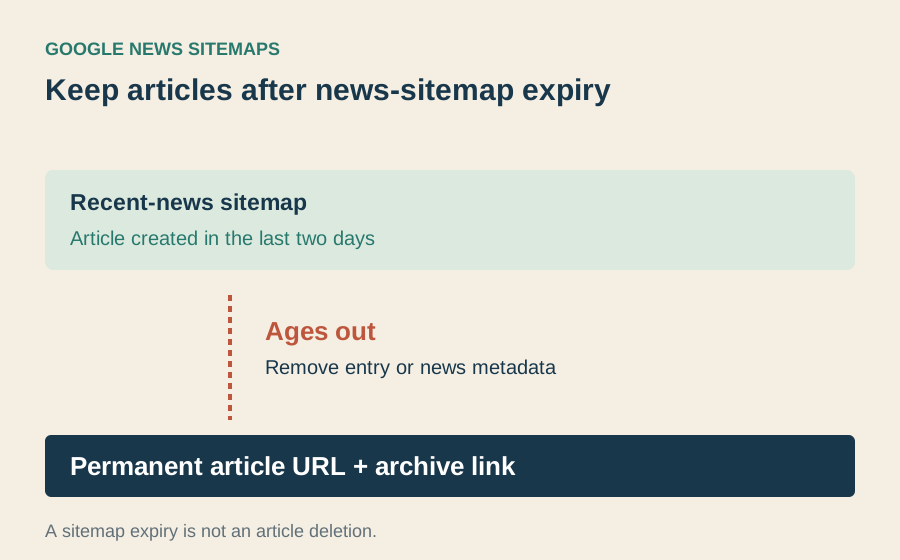
After two days, remove the article’s news metadata from the sitemap, or remove its URL entry if you use a separate news-only sitemap. Keep the article itself available. A general sitemap can retain the URL after its news metadata ages out.
Google’s News sitemap documentation limits news entries to articles published within the last two days. A publication that takes the weekend off can therefore have no eligible entries by Monday morning. That can be the correct result, rather than a broken sitemap. (Google News sitemap documentation ↗)

Example: a Friday article stays published on Monday
Example using UTC, the shared international time reference: a story is first published Friday at 15:00. By Monday at 09:00 it is 66 hours old. It belongs in the permanent archive, but no longer in the recent-news window. Removing it from a news sitemap is not a request to delete the story.
A Monday correction does not turn Friday’s publication into a new article. Preserve the original publication timestamp; record a substantive correction separately. Otherwise a maintenance task can make old reporting appear newly published.
| Monday check | Expected result |
|---|---|
| Recent-news sitemap | Friday entry or its news metadata has aged out. |
| Permanent article URL | Still opens with the original publication date. |
| Section archive | Still links to the article. |
| No stories published over the weekend | An empty recent-news sitemap can be legitimate. |
Diagnose an unexpectedly empty sitemap
Start with a story whose original publication time is inside the last two days. If that story is missing, inspect the generator’s timestamps, timezone and eligibility rules. If no stories qualify, an empty news-only sitemap may be correct. Alert on missing eligible stories, not emptiness alone.
After the cutoff, inspect the delivered sitemap and open the article separately. The news metadata should have expired; the permanent article and its section link should still work.
Set up a check that distinguishes quiet days from broken output
Take a small sample of recent articles from the publication system and compare it with the public sitemap. Use actual publication timestamps rather than the time a draft was scheduled or last edited. If nothing went live within the window, an empty list can be correct. If a story went live this morning and is absent, check whether the generator saw the publication event and whether readers receive the current sitemap rather than a cached copy.
Suppose Friday’s story receives a correction on Monday and the newsroom also publishes a new article that morning. The older story should remain available at its permanent address. The new story is the one you expect to see in the recent-news list. Check both results together. This catches a generator that selects by modification date and appears healthy simply because it returned some entries. Record the exact URLs and timestamps when asking a developer to fix the selection.
When the publication record and public page disagree
Suppose a story is marked published at 09:00, but a failed deployment leaves its public address returning an error until noon. Test the sitemap and the public page separately. If the entry is present while the article cannot open, the immediate repair is availability. Changing the date in the feed will not make the page readable.
Record the timestamp the publication intends to report and the first independently observed successful page response. If the generator uses a different date, investigate where it gets that field. Use the same timezone for the comparison. On the next release, check a newly published article and an older corrected one to make sure the fix handles both reader paths.
Share this article
Editorial notes & history
Source verification dates are recorded in the source registry. Sources were checked November 1–2, 2026. Original frameworks are editorial analysis; numerical examples are labeled. Shaun reviewed the preceding edition. This substantive revision awaits his review.
November 1, 2026: initial draft (v0.1.0); shorter title, reading layout and original visual added (v0.2.0); literal headlines, concrete procedures and reconciled examples (v0.3.0). November 2: substantive worked analysis and publisher-usefulness review (v0.4.0); writing SOP and attribution records (v0.5.0); full-body persona critiques and corrected reasoning (v0.6.0).